Hydrawise
- 4.6
- Rating
- 100.00K
- Installs
- Free
- Price

 Analysis by App-foxy
I installed Hydrawise expecting a practical way to manage irrigation rather than another complicated home-control dashboard, and that is exactly where it makes the most sense. Developed by Hunter Industries, this free House & Home app is built around irrigation control, so its value depends less on entertainment or visual polish and more on whether it helps you keep watering organized when your garden, lawn, or property needs attention.
My first impression is that it is aimed at people who already use compatible Hunter irrigation equipment and want a more convenient control point. If you are tired of walking to a controller, checking settings manually, or trying to remember which watering changes you made last week, the app offers a more direct routine. It is not a general smart-home replacement, and I would not install it simply because I want to control every device in the house. Its purpose is narrower, but that focus is also its main strength.
What using Hydrawise feels like in everyday irrigation work
The app’s store summary calls it the ultimate in irrigation control, but I found that the useful question is more specific: does it make regular watering decisions easier? In a typical home, irrigation is rarely a one-time setup. Seasons change, plants grow, weather varies, and a schedule that worked recently may become wasteful or insufficient. A dedicated app can make those adjustments feel less like maintenance and more like a normal phone task.
You May Also Like

 Blood Strike: 2.5 Anniversary
Blood Strike’s Loadouts Turn Every Drop Into a Tactical Gamble
A close look at Blood Strike’s custom loadouts: how fast access to signature weapons reshapes its battle royale rhythm, rewards preparation, and narrows the gap between fights.

 Pandora - Music & Podcasts
Pandora’s Music Is Easy to Start, but Harder to Recover
Pandora’s strength is its low-effort path from a seed to a station. Its weak spot is how much confidence it asks you to place in connection, setup, and quiet recovery.

 8 Ball Pool
 Is Built on Rivalries, Rematches, and Routine
A close look at the rivalries, rematches, shared routines, and unanswered safety questions that turn a quick pool match into a persistent mobile community.

 Samsung Music
’s Quiet Strength Is Playing What You Already Own
Its reach comes less from spectacle than from dependable access to a personal library. That simplicity is both the app’s strongest retention engine and its ceiling.

 AccuWeather: Weather Radar
AccuWeather Review: A Quick, Clear Forecast for Everyday Decisions
For everyday plans, the best forecast is the one you can understand quickly. AccuWeather makes rain timing, radar, and local conditions easy to act on, with a few trade-offs.

 Hill Climb Racing
Why Hill Climb Racing Still Turns Crashes Into One More Run
A tiny car, a bumpy hill and one more upgrade: Hill Climb Racing keeps resurfacing because its simple chaos makes every near-miss feel personal.
More From Our News Desk
View All News


A realistic example is a homeowner leaving for a few days while the garden is already on an established schedule. Instead of treating the controller as something fixed in a utility area, I would use the phone as the place to review the arrangement before leaving and make a change if conditions require it. That is especially useful when the person responsible for the property is not the person who originally installed the system. The app can reduce the practical barrier between “the irrigation system exists” and “I can confidently manage it.”
That convenience should not be confused with automatic good judgment. An app can make a watering plan easier to reach, but it cannot correct a blocked sprinkler head, a broken pipe, poor zone design, or a plant that needs different treatment from the rest of the lawn. I still see Hydrawise as a control and management tool, not a substitute for checking the physical irrigation system.
Speed expectations: quick for adjustments, not a magic fix
Hydrawise is the kind of app where perceived speed matters most during small decisions. I want to open it, find the relevant irrigation control, understand what is planned, and make a change without feeling that I have started a large technical project. For that use, its focused purpose is encouraging. There are fewer reasons to browse around than in a broad home-automation app, and that can make ordinary tasks feel more direct.
Still, the experience is naturally dependent on more than the phone. The controller, the network connection, and the irrigation equipment all sit between an instruction and the result. If a command appears slow, the app is not necessarily the only cause. This is an important distinction for anyone judging performance: a responsive screen does not guarantee that water will start immediately, while a delayed update does not automatically mean the whole system is unreliable.
I would avoid using any remote irrigation app as a reason to make repeated changes in a hurry. A better workflow is to make one clear adjustment, allow the system time to reflect it, and then check the result rather than tapping several times because the first response was not obvious. That habit reduces confusion and is particularly helpful when managing more than one watering area.
The app is also better suited to planned control than constant monitoring. If you expect a live, second-by-second view of every valve and pipe, you may find the experience less satisfying than a dedicated professional control panel. Hydrawise is most convincing when it replaces a trip to the controller or simplifies a schedule review, not when it is treated like an instrument dashboard.
Heavy-use moments: where preparation matters most
The busiest moments are likely to come when several household decisions overlap: a change in weather, a holiday, a newly planted area, or a lawn that needs a different routine. This is where I would prepare rather than improvise. Before changing anything important, I would identify which watering area the change affects, decide whether it is temporary or ongoing, and keep a note of the original arrangement. That small discipline makes recovery much easier if the result is not what I expected.
One non-obvious advantage of a phone-based controller is that it supports shared responsibility. A family member or property manager may need to understand the watering routine without standing beside the physical controller. However, that convenience also creates a communication risk: two people can make changes without realizing the other has already adjusted the plan. For a shared home, I would agree on who handles routine edits and use a simple household note for temporary changes.
Another useful workflow is to treat seasonal adjustments as separate from emergency changes. A permanent change to a schedule should be made deliberately, while a short-term response to unusual conditions should be recorded so it is not forgotten. This is not a flashy feature claim; it is simply the safest way I would use a remote irrigation tool. The easier an app makes changes, the easier it is to leave behind a setting that no longer matches the garden.
Heavy use also exposes the limits of a focused app. If your irrigation arrangement is simple and rarely changes, you may not gain much from checking it frequently. The app becomes more valuable as the property becomes harder to manage manually, but that does not mean every user needs to spend time inside it every day.
Reliability: confidence comes from the whole setup
Hydrawise has a strong practical case because irrigation is a task people often forget until the consequences become visible. A dedicated controller app can make the system easier to reach and can encourage more regular checks. I appreciate that kind of reliability: not just whether the application opens, but whether it fits into a routine that prevents avoidable mistakes.
At the same time, I would judge reliability in layers. The app may be available, yet the home network may be unavailable. The network may be working, yet the controller or valve may have a physical problem. A schedule may be correct, yet a sprinkler may still be obstructed. For that reason, I would not rely on the phone alone for a high-value landscape, a property that must be watered while vacant, or any situation where a missed cycle would cause serious damage. A quick physical inspection remains sensible.
Recovery is another important part of trust. If I make an edit and later decide it was wrong, I want to know exactly what I am restoring rather than repeatedly changing settings until something looks right. The safest approach is to make gradual edits and verify the affected area. If the app or connection behaves unexpectedly, I would first check whether the controller itself is operating normally before assuming that reinstalling the app will solve the problem.
That layered view keeps expectations realistic. Hydrawise can be a useful access point, but it does not remove the need for a sound installation. People who want a completely hands-off system may be disappointed if they interpret remote access as a guarantee that every irrigation problem will be detected or corrected automatically.
Device constraints and the right kind of phone
The application supports Android devices running version 8.0 or later, which makes it accessible to many existing phones, although owners of older hardware should check compatibility before planning around it. The current version is 0.1.1115, and I would keep the operating system and app reasonably current when using the phone as an important control point. Updates are not a substitute for testing, but an outdated device can add uncertainty to an otherwise straightforward setup.
Resource demands are difficult to judge from the store details alone, so I would not promise that every phone will feel identical. In practical terms, this is not the sort of app I would expect to need constant foreground use. Its job is occasional control and review, which is a gentler pattern than navigation, video, or gaming. The more relevant constraint is whether the device remains dependable when you need to make an adjustment, rather than whether the app is open all day.
Older phones can still be perfectly suitable if they meet the operating-system requirement and have a stable connection, but I would be cautious about using a device with an unreliable battery, aggressive background restrictions, or a screen that makes detailed controls hard to read. Those are not unique Hydrawise problems, yet they matter more when the phone is being used to manage equipment rather than merely browse content.
The Teen content rating is worth noting for families, although the app’s practical subject is home irrigation rather than social entertainment. Parents should still treat controller access as a household responsibility. A child having the app installed is not the same as a child understanding which watering changes are safe, temporary, or expensive in terms of water use.
How it compares with ordinary alternatives
The usual alternative is the physical irrigation controller. That option remains attractive for someone who wants a fixed, local interface and does not want to depend on a phone. It can be easier for a person who always manages the system from the same place, especially when the schedule is stable and the controller is easy to reach.
Hydrawise becomes more appealing when access is inconvenient or responsibility is shared. A phone is already part of most people’s daily routine, so using it for irrigation can remove a surprisingly persistent obstacle: remembering where the controller is, remembering how its controls work, and being present at the property when a change is needed. The trade-off is that the app introduces another layer between the person and the hardware.
Compared with a broad smart-home platform, this focused approach may feel less flexible. You should not choose it expecting one screen for every appliance, camera, lock, and sensor. On the other hand, a dedicated irrigation app is easier to evaluate because its purpose is clear. If your priority is Hunter irrigation control rather than a universal home dashboard, the narrower design is a benefit rather than a weakness.
People with a very simple garden may prefer manual control or a basic timer. If you rarely change watering and the controller is already convenient, Hydrawise could add complexity without solving a real problem. I would choose it for access, organization, and remote convenience—not merely because an app exists.
Who will get the most from it
I think Hydrawise is best for homeowners who already have a compatible Hunter irrigation setup and want a more convenient way to manage it. It also makes sense for people who travel, look after a second property, share garden duties, or regularly adjust watering as the landscape changes. The free price removes one obvious barrier to trying it, while the app’s focused category keeps the purpose easy to understand.
The audience size suggests that it is not an obscure experiment: it has more than a hundred thousand installs and an average rating of 4.5 from roughly eight thousand ratings. Those figures do not guarantee that it will suit every installation, but they indicate that many users have found enough value to rate it positively. I would still treat compatibility with the actual irrigation equipment as the first question, not the rating.
I would skip it if you do not use Hunter equipment, if your controller is already effortless to operate locally, or if you want a complete smart-home command center. I would also hesitate if you are unwilling to verify physical irrigation results. Remote control is useful, but it can encourage people to assume that a successful tap equals a successful watering cycle.
My performance verdict after using it
Hydrawise feels most successful when it turns irrigation from a location-bound chore into a manageable phone task. Its focused design makes sense for reviewing and changing watering arrangements, while its limitations come from the nature of connected hardware rather than from the idea of an irrigation app itself. I would describe the performance expectation as practical and measured: good for planned adjustments and routine oversight, less suitable as a guaranteed live diagnostic tool.
The app is free, developed by Hunter Industries, and listed for Teen users, with a release date of October 30, 2023. Those details place it in a fairly modern mobile-control context, but the real decision remains personal: will phone access solve a problem you actually have? If the answer is yes, the convenience can be meaningful. If your existing controller is simple and reliable, the benefit may be too small to justify changing your routine.
My recommendation is to approach it as one part of a dependable irrigation setup. Install it, learn the controls when you are at home, make small changes first, and confirm that the physical system responds as expected. Once that relationship is clear, the app can save trips and reduce forgotten adjustments. The best reason to use Hydrawise is not novelty; it is having clearer control when watering decisions need to happen away from the controller.
For me, that makes it a worthwhile choice for compatible Hunter users who value convenience and are comfortable with a connected system. It is not the right answer for every garden, and it cannot repair hardware or replace sensible checks, but within its intended role it offers a focused way to bring irrigation management into an everyday mobile routine.
FAQs for Hydrawise
01What is Hydrawise and how does it work?
Hydrawise is a smart irrigation management app designed to optimize water usage for residential and commercial landscapes. It connects with compatible smart controllers to monitor weather conditions and adjust watering schedules accordingly. The app provides real-time notifications and detailed reports, helping users conserve water and maintain a healthy landscape.
02Is Hydrawise compatible with all irrigation systems?
Hydrawise is compatible with a wide range of smart irrigation controllers, but it's essential to check if your specific controller model supports integration with the app. Compatibility can usually be confirmed through the app's official website or by contacting customer support for assistance.
03What features does Hydrawise offer for efficient water management?
Hydrawise offers features such as weather-based scheduling, real-time notifications, water usage reports, and zone monitoring. The app also allows users to create custom irrigation schedules based on local weather forecasts, ensuring efficient water use while maintaining optimal lawn and garden health.
04Can I control multiple irrigation zones with Hydrawise?
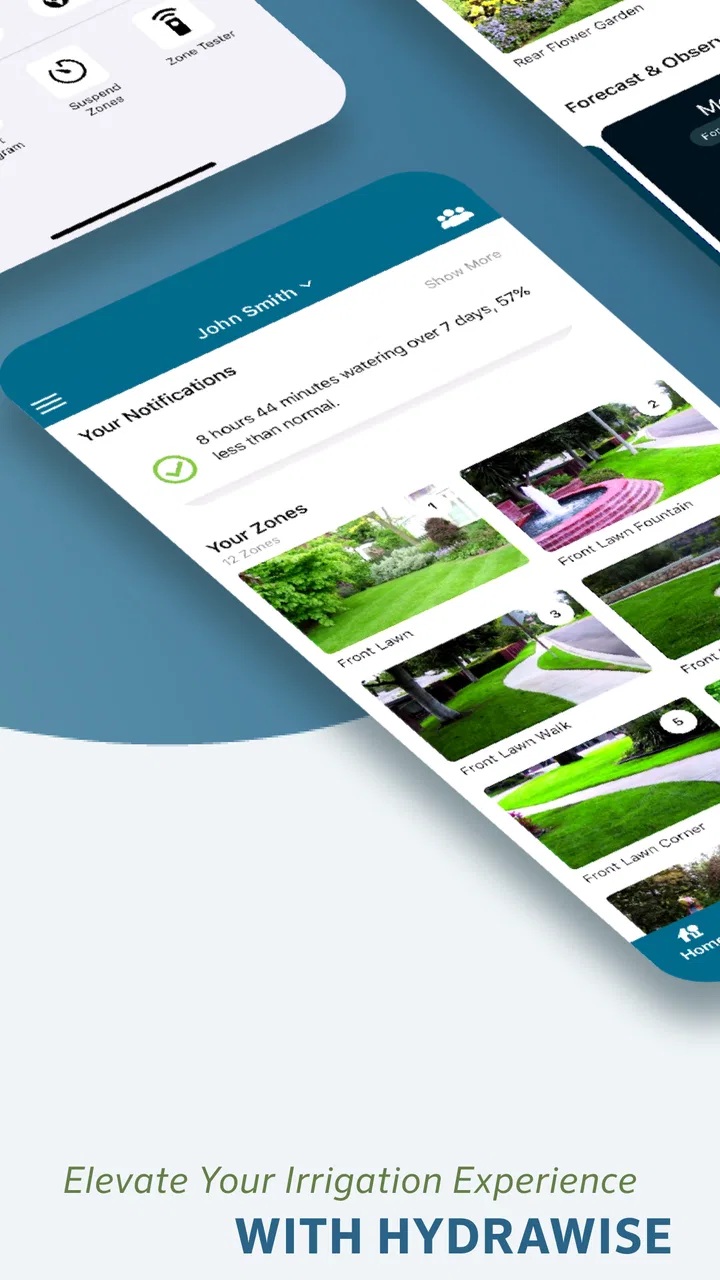
Yes, Hydrawise supports control over multiple irrigation zones. Users can configure and manage each zone separately, allowing for tailored watering schedules based on specific plant needs or environmental conditions. This feature is particularly beneficial for larger properties with diverse landscaping requirements.
05Is there a subscription fee to use Hydrawise?
Hydrawise offers both free and premium subscription plans. The free plan provides basic features necessary for smart irrigation management, while the premium plan offers advanced functionalities like enhanced reporting and more detailed weather analytics. Users can choose based on their specific needs and budget.
Pros
- User-friendly interface for easy setup.
- Real-time weather adjustments save water.
- Remote access from any location.
- Customizable scheduling for zones.
- Detailed usage reports and analytics.
Cons
- Limited offline functionality.
- Some features require a subscription.
- Compatibility issues with older devices.
- Initial setup can be time-consuming.
- Limited customer support options.

Hydrawise
Gallery